

End-to-End Sales Automation: How to Automate the Full Sales Process
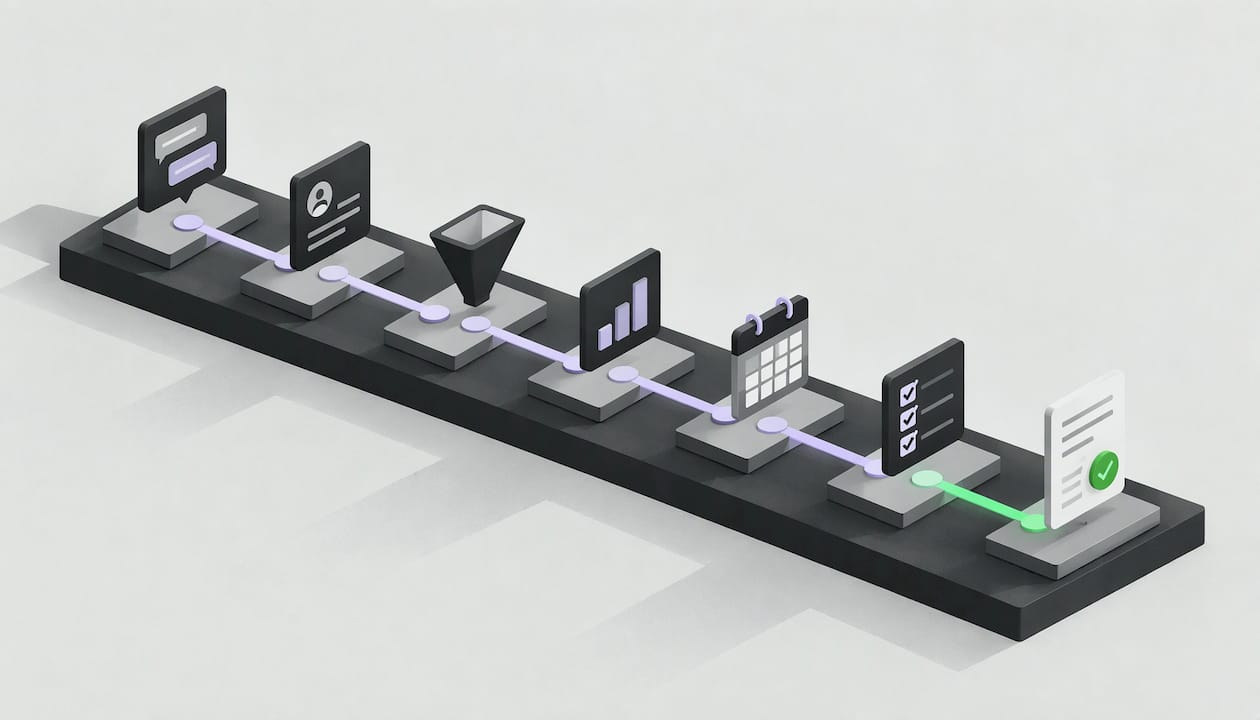
End-to-end sales automation means software handles the whole sales workflow, from the first inbound contact through qualification, eligibility checks, offer configuration and contract generation, and writes every result back to your CRM. Automating individual tasks, such as logging calls or sending reminders, saves minutes. Automating the full chain removes the handoffs where leads go cold. This guide shows which stages to automate, how to map your process first, how to connect your existing systems, where people stay in the loop, and how to measure the result.
TL;DR
- End-to-end sales automation executes the full inbound workflow (conversation, eligibility, offer, contract), while task automation only speeds up single steps.
- Map the real process first, then automate steps that are repetitive, rule-based, high-volume and stable. Keep judgment-heavy work with people.
- Integration with your CRM and core systems decides whether automation closes deals or just creates another silo.
- Set override controls, monitoring and escalation rules before launch, and measure revenue outcomes, not activity counts.
- Enterprises with high inbound volume see the biggest effect, because every minute of delay and every manual touchpoint is multiplied across thousands of leads.
Table of Contents
- What end-to-end sales automation actually means
- Which inbound stages you can automate
- Map your real process before you automate it
- Connect automation to your CRM and existing systems
- Define the roles of AI and people
- Safeguards: oversight, overrides and monitoring
- Measure whether it works
- Our perspective
- What it costs and how pricing can work
- See it on your own inbound flow
- FAQ
- Sources
What end-to-end sales automation actually means
Most sales automation is built around tasks. A tool drafts a follow-up email, scores a lead, routes a record by territory or logs a call. Each one helps a rep, but a person still has to carry the lead from one step to the next. Snowflake describes the range as running from deterministic rules, such as routing by territory or deal size, to AI workflows that interpret signals like call transcripts, web engagement and email sentiment. In that range, the system either acts on its own or recommends actions for human review.
End-to-end automation sits at the far end of that range. It owns an outcome rather than a task: a lead arrives, and a signed contract (or a clean, documented decline) comes out. Four traits separate it from a collection of point tools:
- It executes, not just qualifies. The system checks eligibility, configures the offer and generates the contract instead of passing a score to a rep.
- It works inside your systems. CRM, billing, product catalog and contract tools are read and updated directly, so no one re-keys data.
- It handles the conversation. Inbound leads often arrive by phone, chat or form. The agent talks to the customer and gathers what the workflow needs.
- It escalates by rule. Exceptions go to a person with full context, rather than silently failing.
If you want the longer view on agent types and where the return comes from, our overview of AI sales agents and the enterprise workflows that decide ROI goes deeper.
Which inbound stages you can automate
An inbound process has a predictable shape. The table below walks through each stage, what automation does there and what typically stays with people.
| Stage | What automation can do | What stays human |
|---|---|---|
| Lead capture | Pick up calls, forms and chats instantly, create or match the CRM record | Defining which channels you support |
| Qualification | Ask structured questions, confirm intent, budget and fit | Setting the qualification criteria |
| Eligibility check | Query internal systems (coverage, credit, stock, product rules) in real time | Policy decisions on edge cases |
| Offer configuration | Build the right plan or package from the customer’s answers and your rules | Pricing strategy and special approvals |
| Contract generation | Produce the agreement with the right terms and send it for signature | Legal templates and non-standard clauses |
| Follow-up and reactivation | Chase unsigned contracts and dormant leads on a defined cadence | Strategic accounts and negotiations |
| CRM update | Write outcomes, notes and next steps back automatically | Reporting and review |
Most vendors stop after the second row. Our position is that the value sits in the rows after it, because that is where revenue is actually won or lost. A qualified lead that waits for an offer is a lead that shops elsewhere.
A handoff-heavy process also benefits from smarter distribution. When a conversation does need a person, automated lead routing sends it to the right owner with the context attached, so the customer does not repeat themselves.
Map your real process before you automate it
The most common reason automation underdelivers is that it was built for the process on the slide, not the one people actually run. Marathon’s guidance on mapping a business process recommends documenting the real daily flow, including workarounds, who does each step, which tool they use and how long it takes.
A practical mapping exercise for a sales team looks like this:
- List every trigger. What starts a sales process: a call, a web form, a campaign response, a partner referral?
- Write down each step as it happens today. Include the spreadsheet someone keeps on the side and the email that gets forwarded to a colleague.
- Record the owner, tool and elapsed time for each step. The gaps between steps often cost more than the steps themselves.
- Mark decisions. Note which rules are explicit (a customer in region X gets plan Y) and which depend on personal judgment.
- Flag the waste. Look for delays, duplicate data entry and handoffs where leads sit unattended.
Then score each step. The same Marathon guidance points to four tests: is the step repetitive, rule-based, high-volume and stable? A step that passes all four is a strong automation candidate. A step that changes weekly, or depends on reading a customer’s mood, is not, at least not yet.
Snowflake’s guidance adds a sensible rollout principle: automate repetitive, rules-based, low-risk steps first, keep judgment and customer nuance with people, and validate with a small pilot. For a deeper catalog of candidates, see our guide on what to automate in sales operations.
Connect automation to your CRM and existing systems
Automation that lives outside your systems of record creates a new problem: two versions of the truth. End-to-end automation only works when the agent can read from and write to the systems your teams already use. In practice that means four connections.
- CRM. The agent matches the inbound contact to an existing record, creates one if none exists, and logs the conversation, qualification answers, offer and outcome.
- Eligibility and product data. Whatever decides if a customer can buy (coverage maps, credit rules, inventory, tariffs) needs a live lookup, not a cached spreadsheet.
- Contract and signature tools. Generated agreements should come from your approved templates, with variables filled from the conversation.
- Telephony and messaging. For inbound voice, the agent has to sit on the same lines and routing your contact center already uses.
A few design rules keep integrations from turning into a long project:
- Start with the CRM and one eligibility source, then add systems as the pilot proves out.
- Use field-level mapping documents, so everyone agrees which system owns which data.
- Test failure paths: what happens when the eligibility service times out or the CRM rejects a record.
- Budget for custom work honestly. On our pricing page, custom integrations are billed at €900 per DevDay, so a scoped list of required connections gives you a predictable estimate. Sales automation that connects a wide range of sales technology is a topic covered well by platforms built around connected outreach and CRM integrations, which shows how far the stack can stretch beyond a single tool.
For how a conversation turns into a CRM action in practice, read our breakdown of conversational AI for enterprise sales and its three stages.
Define the roles of AI and people
Autonomy does not mean absence of people. It means people spend time where they add value. Snowflake’s overview notes that AI can analyze context and recommend or draft outreach, with human review where appropriate, while sales professionals focus on relationships, discovery and negotiation.
A workable division for inbound sales:
- The agent handles the high-volume, rule-based path: greeting, questions, eligibility, standard offers, standard contracts, reminders.
- People handle non-standard deals, complaints, regulated edge cases, strategic accounts and anything the customer explicitly asks a human for.
- Approvals are triggered by rules you set: discount above a threshold, unusual contract terms, flagged risk indicators.
Write these rules down before launch, and give each exception a named owner and a response-time target. An exception queue that nobody watches is the same lost lead you started with.
If you are weighing the economics of that split, our comparison of AI voice agents and human sales teams on ROI, cost and speed lays out the trade-offs.
Safeguards: oversight, overrides and monitoring
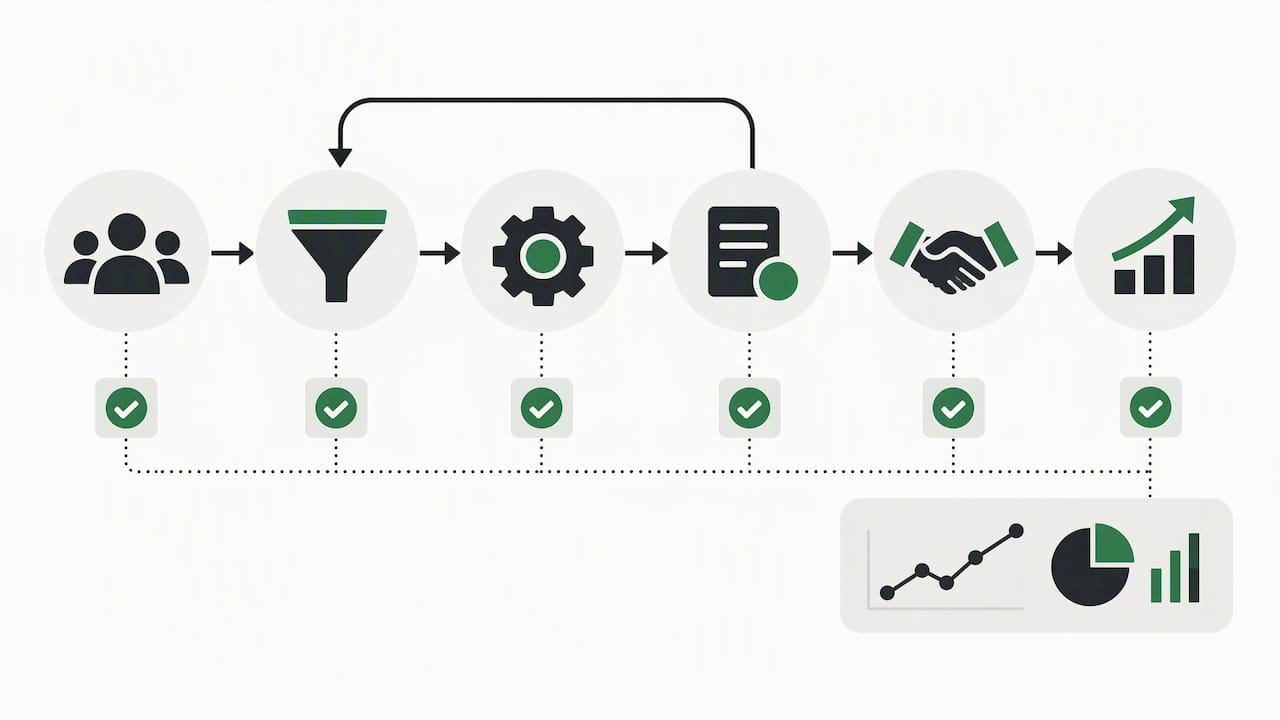
An agent that signs contracts needs the same controls as any system that acts for the company. Governance guidance in an enterprise AI controls catalog says human oversight policies should include a kill switch or override mechanism to stop a failing AI system. The same catalog notes that a missing, tested override is cited in AI incident investigations as evidence of negligent deployment, and that monitoring failures suggest governance was performative. The takeaway for sales leaders is practical: build and test the override before go-live.
A minimum safeguard set:
- Override and pause. One action that stops the agent from taking new conversations, tested on a schedule.
- Access control. Limit which systems and fields the agent can read or change, and review those permissions regularly. Reviewing the permissions of connected software is its own discipline, and a guide to running SaaS access reviews is a useful frame for sales-stack connections.
- Conversation logging. Keep transcripts and decisions so you can audit any contract back to the exchange that produced it.
- Quality sampling. Review a sample of conversations every week during the pilot, then monthly.
- Compliance checks. Confirm recording consent, data retention and sector rules with your legal team for each market you sell in, since these differ by country and industry.
We built Agent Studio so teams can configure and govern their agents in one place, which keeps these controls part of daily operations instead of a separate project.
Measure whether it works
Do not judge automation by how much it did. Judge it by what changed. One practical framework from a sales automation strategy guide is to measure response speed, qualification quality, sales acceptance, pipeline conversion and revenue outcomes, not just activity volume. Snowflake adds that teams can review outcomes such as replies and conversions and use them to adjust scoring rules or workflows.
Set a baseline before the pilot, then track:
| Metric | Why it matters | How to read it |
|---|---|---|
| Time to first response | Speed is the first filter for inbound intent | Should fall toward immediate |
| Lead-to-contract conversion | The headline result | Compare against the pre-pilot cohort |
| Sales cycle length | Shows where waiting disappeared | Measure from first contact to signature |
| Cost per acquisition | Captures labor and tooling together | Include integration and platform spend |
| Rep time on manual tasks | Shows capacity freed | Reallocate it, and track what it produces |
| Exception rate | Signals rule gaps | Falling rate means the workflow is maturing |
Run the pilot against a comparable control group, such as one queue or region handled the old way, so you can attribute the difference to automation and not to seasonality.
Our perspective
Most teams we meet have already bought tools that qualify leads. The leads still leak, because qualification is not the end of the job. A customer who is told they qualify and then waits for an offer, a quote and a contract has plenty of time to choose someone else.
We built VoiceB around the idea that the agent should finish the work. It holds the conversation, checks eligibility, configures the offer and generates the contract inside your existing systems, so every interaction has a path to revenue. Our work with Vodafone and Holaluz is the clearest evidence for us: those programs saw a 153% increase in sales and a 37% reduction in customer acquisition costs.
Our advice is to start where the volume is. If you handle thousands of inbound leads each month, the manual touchpoints you remove are multiplied thousands of times. Pick one journey, connect it properly, keep clear escalation rules and let the results decide the next one.
Alex Bisbe
What it costs and how pricing can work
Pricing for automation usually follows one of two logics: you pay for access, or you pay for outcomes. We publish an outcome-based component, which keeps cost tied to what the agent delivers. According to our pricing page, a Qualified Transfer starts from €1.50, a Sold outcome from €7 and a Closed outcome from €15, each as a one-off fee. Custom integrations are €900 per DevDay. Plans (Starter, Enterprise and Corporate Custom) and the data-activation fee per base are quoted on request, so confirm the current figures with us before you budget.
When you build a business case, count more than the platform line:
- Integration effort, for the systems you connect.
- Internal time for mapping, testing and governance.
- Reallocated rep capacity, which is usually the largest saving.
- The revenue recovered from leads that used to go unanswered, including dormant CRM records. Our AI Reactivation Module targets exactly that pool.
See it on your own inbound flow
If you handle 1,000 or more inbound leads a month, the fastest way to test the idea is a scoped pilot on one journey. VoiceB’s Autonomous Sales agents run the process from first conversation to generated contract across your current systems, and you can pair them with AI lead qualification if you want to start at the front of the funnel.
We also have sector-specific setups for telecom, energy and utilities. Review the plans on our pricing page or start from voiceb.ai.
FAQ
What is the difference between sales automation and end-to-end sales automation?
Sales automation usually means automating individual tasks, such as email sequences, lead scoring or data entry. End-to-end sales automation covers the whole workflow, from the first conversation through eligibility, offer and contract, with the CRM updated at every step. The difference is who carries the lead between stages: in task automation it is a person, and in end-to-end automation it is the system.
How do I automate my sales process without replacing my CRM?
Keep the CRM as your system of record and connect the automation to it. Map your real process, choose one high-volume journey, and let the agent read and write CRM fields directly. Start with the CRM and one eligibility source, then expand once the pilot results hold.
Which sales steps should stay with people?
Keep judgment-intensive work with your team: relationship building, complex discovery, negotiation, non-standard deals and sensitive complaints. Set rules that send these cases to a named owner with the full conversation history. Automation handles the repetitive, rule-based path so those people have more time for the cases that need them.
How long does it take to see results?
It depends on how many systems you connect and how clean your process is. A scoped pilot on one journey, with a baseline and a control group, gives you a measurable comparison on response time, conversion and cost per acquisition. Decide the success thresholds before you start, so the expansion decision is straightforward.
Is end-to-end automation only for large companies?
It pays off most where inbound volume is high, because each removed manual touchpoint repeats thousands of times. That is why we focus on enterprises handling 1,000 or more leads a month, in sectors like telecom, energy and large-scale consumer services.
Sources
- What Is Sales Automation? How AI Transforms Sales (Snowflake)
- Map a Business Process Before Automating It (Marathon)
- Enterprise AI Governance for Boards, CISOs, and Auditors: AI Controls Catalog
- AI Sales Automation Strategy for Smarter Growth
- SaaS Access Reviews guide