

Enterprise Lead Management AI: How It Works and How to Deploy It
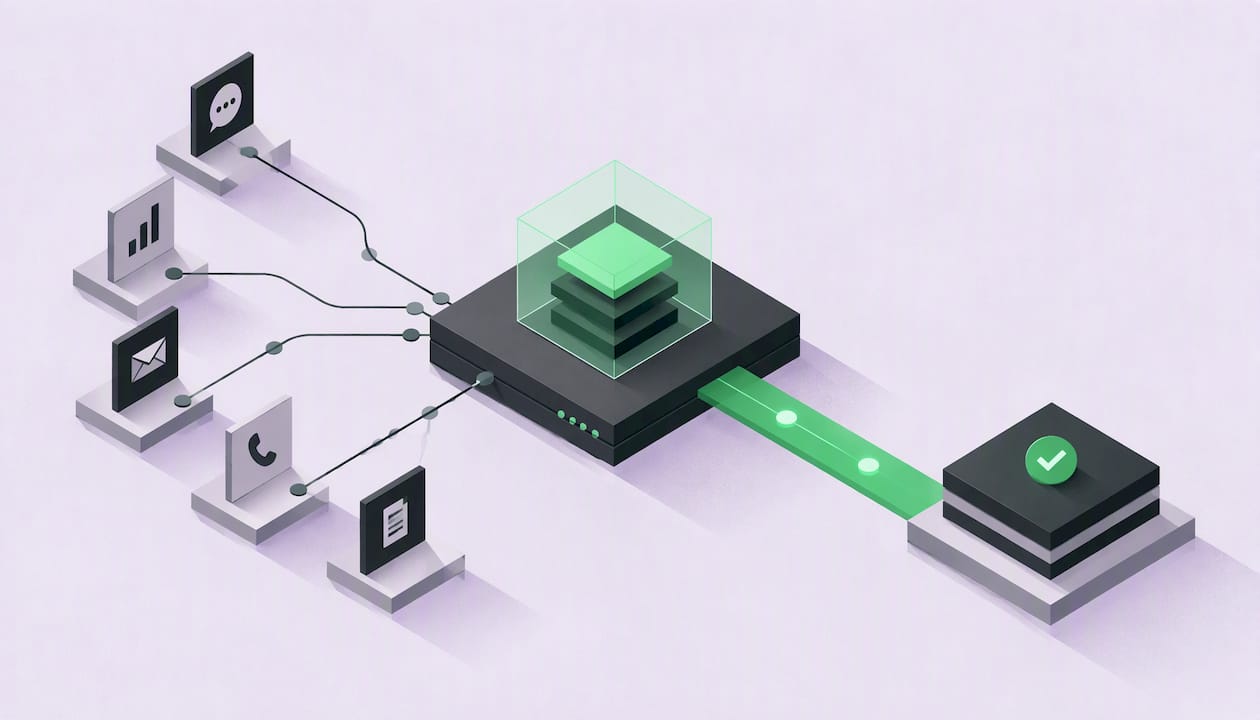
Enterprise lead management AI is software that captures, qualifies, routes and follows up on inbound leads without waiting for a person to touch each record. The most advanced systems also act on the lead: they check eligibility, configure an offer and produce the contract. If your team handles thousands of inbound leads a month, the question is no longer whether to automate lead management, but how far the automation should go and where people stay in control.
This guide explains what the category covers, how it differs from AI lead generation, which tasks you can automate, how to connect it to your CRM, what to govern, and how to measure results.
TL;DR
- Lead management starts after a lead exists. Lead generation creates demand; lead management decides what happens to every lead that arrives.
- Automation can cover capture, data extraction, qualification, routing, follow-up and CRM updates. The next step beyond that is executing the sale itself.
- Connect the system to your CRM and marketing stack, define approved ownership and pricing rules, and reserve human approval for exceptions outside those rules.
- Govern consent, data access and audit trails before launch, not after.
- Measure speed to first contact, qualification rate, cost per acquisition and revenue per lead, not activity counts.
Table of Contents
- What enterprise lead management AI actually means
- Which lead management tasks automation can handle
- Where the revenue leaks in enterprise inbound
- From qualifying leads to executing the sale
- How to implement it across your CRM and systems
- Governance: data, consent and human oversight
- What to measure
- Our perspective: execution, not just qualification
- How VoiceB prices lead management automation
- FAQ
- Sources
What enterprise lead management AI actually means
Lead management is the work between “a person showed interest” and “a person became a customer or was closed out.” It includes capturing the lead, cleaning the data, deciding whether the lead is a fit, assigning an owner, following up, and recording everything in the CRM.
AI changes how much of that work needs a human. Instead of rules that only match fields (“region equals Texas, assign to rep A”), language models can read an inquiry, extract what the prospect wants, hold a conversation and decide what to do next.
How it differs from AI lead generation
Lead generation creates outbound demand through prospecting and cold outreach. Lead management starts after demand exists and decides what happens to each inbound lead.
Lead management is the inbound counterpart. The leads already exist: web forms, calls, chat, campaign responses, partner referrals and dormant CRM records. The job is to convert them quickly and consistently. For an enterprise, the stakes are volume. When 1,000 or more leads arrive each month, small delays and inconsistent handling compound into lost revenue.
The types of leads an enterprise manages
Enterprise inbound is rarely one uniform stream. Typical categories include:
- Web and form leads: quote requests, demo requests, eligibility checks.
- Call and chat leads: prospects who contact you directly and expect an immediate answer.
- Campaign leads: responses to paid, email or event campaigns, often arriving in bursts.
- Partner and referral leads: passed from channels, each with its own rules and data quality.
- Dormant leads: records already in your CRM that never converted and can be reactivated.
Each type needs different handling. A burst from a TV campaign needs speed and capacity; a partner referral needs validation; a dormant record needs a respectful, well-timed re-engagement.
Which lead management tasks automation can handle
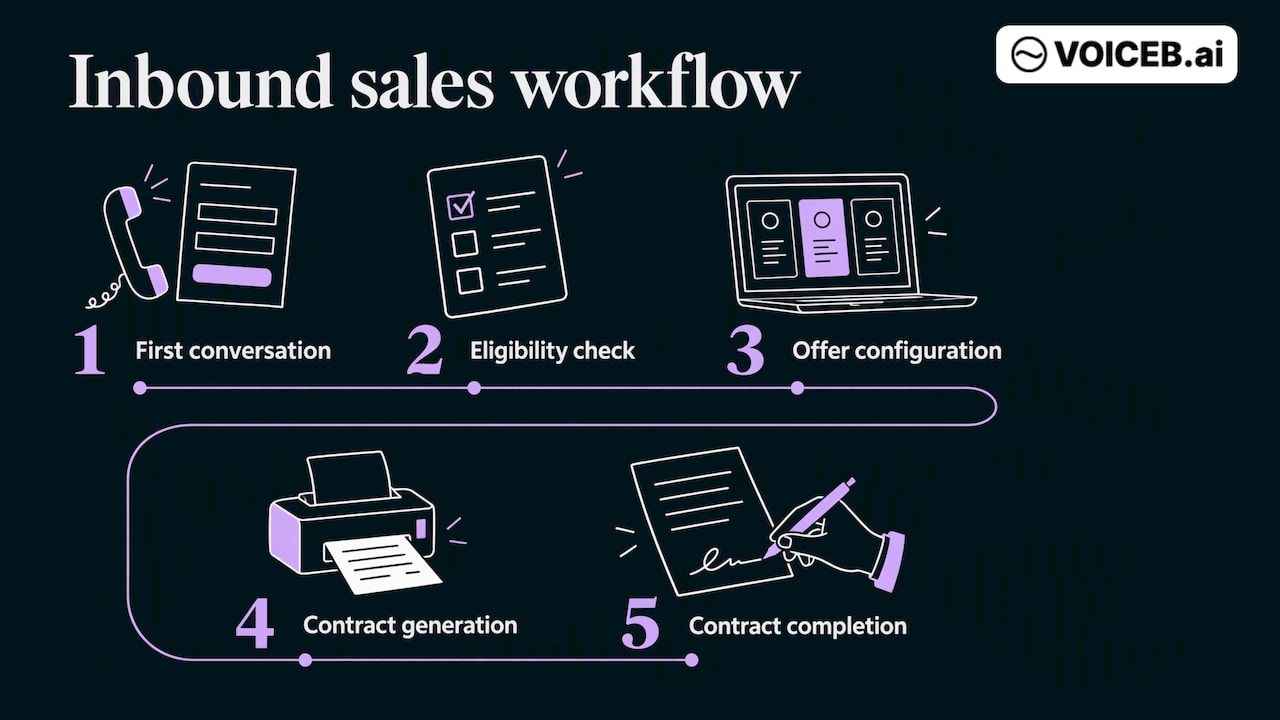
Lead management can capture leads, extract information, qualify demand, route exceptions, trigger follow-up and update CRM records. In an autonomous inbound workflow, these steps lead to offer configuration and a completed contract.
- Capture. Pull leads from every channel into one queue, with the source preserved.
- Normalize. Extract names, needs, product interest and timing from free text or conversation, and deduplicate against existing records.
- Qualify. Ask the questions your sales team would ask, check eligibility against your rules, and score the result.
- Route. Assign the lead to the right team, queue or agent based on product, region, language, capacity and value. Our guide to automated lead routing goes deeper on handoffs.
- Follow up. Trigger the next contact, reminders and nurture sequences, adjusting to what the lead said.
- Record. Write every outcome, transcript and status back to the CRM so reporting is accurate.
Most tools stop at step 3 or 4 and hand the lead to a person. That handoff is where speed is often lost: the lead waits in a queue, the rep calls hours later, and the prospect has already talked to a competitor.
Where the revenue leaks in enterprise inbound
Before choosing technology, find where your own pipeline loses leads. Four leaks show up most often in high-volume inbound operations.
- Slow first response. Leads that arrive out of hours or during peaks wait. Interest decays quickly.
- Inconsistent qualification. Different reps ask different questions, so scoring varies and good leads are discarded.
- Handoff friction. Leads are assigned to people who are busy, absent or the wrong fit.
- Abandoned follow-up. After one or two attempts, leads drop out of the cadence and sit in the CRM.
Automation addresses all four because software has no queue limit, no shift ends, and the same qualification logic applies to every lead. You can quantify each leak from your own CRM: time from creation to first contact, share of leads never contacted twice, and conversion by owner.
From qualifying leads to executing the sale
Qualification is useful, but it is not revenue. A qualified lead still needs a person to confirm eligibility, configure an offer, send a contract and chase the signature. Each of those steps adds waiting time and drop-off.
This is the gap VoiceB was built for. Our autonomous agents run the inbound workflow from the first conversation to the completed contract: they check customer eligibility, configure the offer, generate the contract, and operate across your existing systems. Where conventional tools qualify and pass the lead on, the agent keeps going. You can see the full workflow on our autonomous sales page, and the qualification layer on its own on the AI lead qualification page.
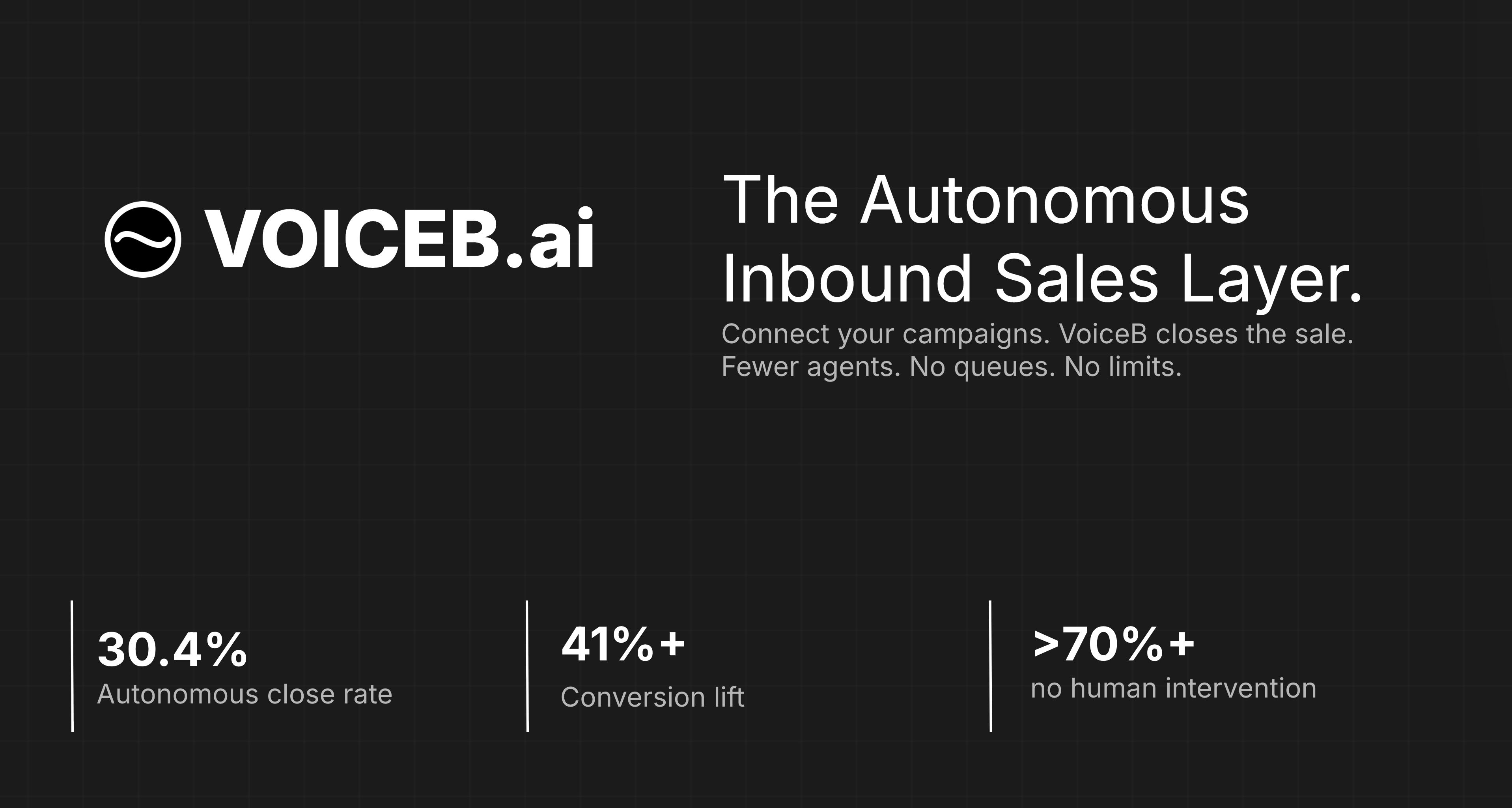
The approach has been applied in sectors with high inbound volume. Primagas (SHV Energy) saw a 150% increase in sales volume, 250% more lead-handling capacity and a 37% reduction in cost per acquisition, with a 67.8% autonomous close rate over 12 months. Holaluz closes 30.4% of valid inbound calls autonomously and auto-filters 78% of traffic. Sector-specific setups are described for energy, utilities, automotive and B2B tech.
How to implement it across your CRM and systems
Autonomous agents connect with your CRM and marketing systems and execute qualification, eligibility and pricing within approved rules. Humans review only exceptions outside those rules. A practical rollout follows these steps.
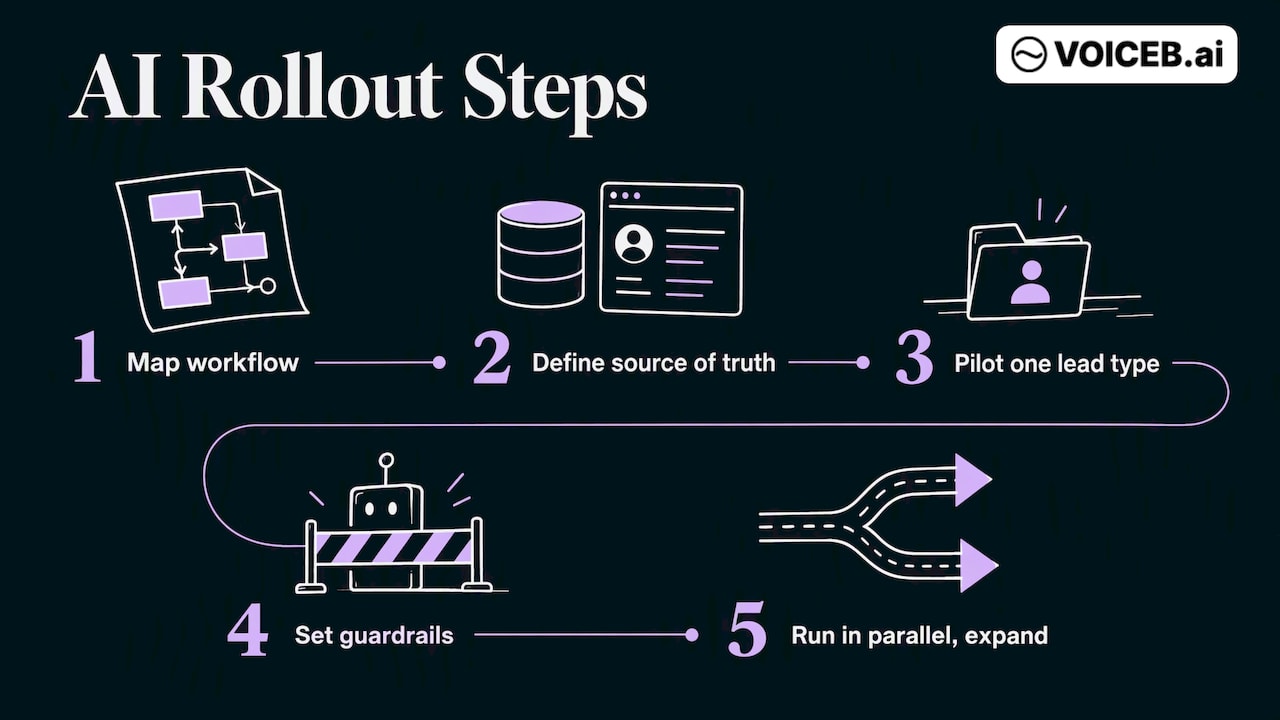
1. Map the current workflow
Document every step from lead creation to closed deal or closed-lost: sources, fields, qualification questions, routing rules, SLAs and who owns each handoff. Identify the steps that are rule-based and repetitive. Those are the first candidates.
2. Define the source of truth
Decide which system owns each piece of data: CRM for lead and account status, billing or eligibility systems for customer data, marketing platform for campaign attribution. The AI should read from and write to these systems, not hold a parallel copy.
3. Start with one lead type
Pick one high-volume, well-understood stream, such as web quote requests. Set a baseline for response time, qualification rate and conversion before switching anything on.
4. Set guardrails and escalation paths
Define what the system may do alone, what needs approval, and when it must transfer to a person. A common split: the agent can qualify and configure standard offers; non-standard pricing, complaints and complex edge cases go to a human with full context. Our Agent Studio is where teams build and govern these agents and their rules.
5. Run in parallel, then expand
Run the automated flow beside your existing process on a share of traffic. Compare outcomes, review transcripts, tune the logic, then widen the share and add channels. Add dormant-lead reactivation once the inbound flow is stable; the reactivation module is built for the revenue already sitting in your CRM.
Governance: data, consent and human oversight
Enterprise buyers are right to ask hard questions here. Four areas need an owner before launch.
Consent and communications law. In the United States, the FCC has ruled that calls using AI-generated voices fall under the Telephone Consumer Protection Act, so prior consent rules apply to AI voice calls. Have your legal team confirm consent capture, disclosure and do-not-call handling for every channel and state where you operate. Other countries have their own regimes, so check each market separately.
Data access and privacy. Give the system only the fields it needs, log every read and write, and define retention for transcripts and recordings. Customer eligibility data is often the most sensitive input.
Risk management. A structured approach helps. The NIST AI Risk Management Framework offers a voluntary way to identify, measure and manage AI risks, and it maps well onto a lead management rollout: define the use, test it, monitor it, and assign accountability.
Human oversight. Approve the operating rules before launch, review samples of agent decisions and reserve human intervention for exceptions, including unauthorized pricing or routing overrides.
What to measure
Activity metrics (calls made, emails sent) say little. Measure outcomes at each stage:
| Metric | What it tells you | Where to read it |
|---|---|---|
| Time to first contact | Whether speed is a leak | CRM timestamps |
| Contact rate | Share of leads actually reached | Telephony and CRM |
| Qualification rate | Whether criteria and conversations work | CRM stage data |
| Lead-to-sale conversion | The result that matters | CRM closed-won |
| Cost per acquisition | Efficiency, including labor | Finance plus CRM |
| Escalation rate | How often humans must step in | Agent logs |
| Revenue per lead | Value of the whole stream | CRM and billing |
Compare against your own baseline from step 3, not industry averages. Review monthly and look at escalation reasons, because they show which cases to automate next.
If you are weighing automation against hiring, our comparison of AI voice agents and human sales teams lays out cost, speed and ROI side by side.
Our perspective: execution, not just qualification
We see the same pattern in enterprise inbound again and again. Teams invest in scoring, enrichment and routing, and still lose revenue in the gap after qualification, because the lead waits for a person to check eligibility, build the offer and send the contract. Every manual touchpoint is a place where the prospect can leave.
So we build agents that finish the job. They hold the conversation, check eligibility against your systems, configure the offer, generate the contract and write everything back to your CRM. People stay where judgment matters: exceptions, negotiation outside policy and oversight of the rules the agents follow.
We also think pricing should follow outcomes. If the agent does not qualify, sell or close, you should not be paying for activity. That is why our commercial model is built around results rather than seats.
— Alex Bisbe, Co-founder & CEO, VoiceB.ai
How VoiceB prices lead management automation
Every VoiceB deployment runs on Autonomous Sales Voice Agents (ASVA), and every conversation is classified by the Outcome Engine: a deterministic, auditable classification that assigns one of four outcomes, Invalid, Qualified Transfer, Sold or Closed. See how this works in production in our case studies for Primagas (SHV Energy) and Holaluz.
Autonomous agents own the routine inbound sale end to end, from first response through eligibility, offer configuration and contract generation; humans handle genuine exceptions outside approved rules.
VoiceB offers Starter, Enterprise and Corporate Custom plans, plus a reactivation module for dormant leads. Published usage fees are one-off and tied to outcomes: a qualified transfer is from €1.50, a sold lead from €7 and a closed deal from €15. Custom integrations are €900 per DevDay. Plan prices are not published, so you get them by talking to us.
If you handle 1,000 or more inbound leads a month and want to see the workflow on your own systems, review the pricing and plans or see how pay-per-outcome sales agents work.
FAQ
What is the difference between lead management and lead generation?
Lead generation creates new prospects through outreach, content and advertising. Lead management handles every lead after it arrives: capture, qualification, routing, follow-up and conversion. An enterprise needs both, but inbound-heavy businesses usually find faster gains in management, because the demand is already paid for.
Can AI replace my sales team in lead management?
It can take over repetitive, rule-based work such as first response, qualification, standard offers and contract generation. People remain essential for exceptions, complex negotiations, policy decisions and oversight. Most enterprises redeploy staff to higher-value conversations rather than remove the team.
Does it work with the CRM we already have?
The system should read from and write to your existing CRM and related systems rather than replace them. Integration scope varies by stack, which is why we scope custom integrations per project. Confirm the data fields, permissions and audit logging during evaluation.
How many leads do I need before automation makes sense?
The case is strongest when inbound volume is high enough that response delays and manual handoffs visibly cost revenue. We focus on enterprises with 1,000 or more inbound leads a month. Below that, simpler CRM workflows may be enough.
What are the main risks?
The main risks are communications consent, access to sensitive customer data, wrong or inconsistent decisions, and a lack of audit trails. Address them with documented consent handling, minimal data access, escalation rules and regular review of transcripts and decisions.